Sniper Gun Shooting Game – Getting Started
Table of Contents
Game Description
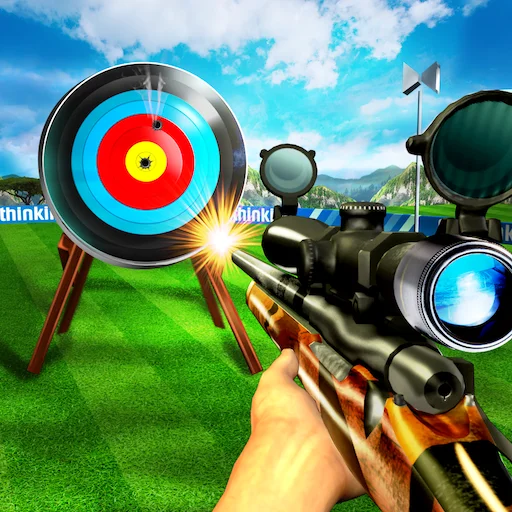
“Sniper Gun Shooting” is an intense first-person shooter (FPS) game that puts players in the role of a skilled sniper tasked with eliminating high-profile targets from long distances. With realistic graphics, immersive gameplay, and challenging missions, “Sniper Gun Shooting” offers a thrilling experience for fans of sniper games.
How to Play
“Sniper Gun Shooting” requires precision, patience, and strategic thinking to successfully complete missions. Here’s a guide on how to play:
Game Controls
- Mouse: Aim your weapon.
- Left Mouse Button: Fire weapon.
- R: Reload weapon.
- Shift: Hold breath for steady aim.
- W, A, S, D: Move character.
- Spacebar: Jump (if applicable).
- Ctrl: Crouch (if applicable).
Gameplay
- Mission Briefing: Start by selecting a mission from the game menu. Each mission presents a specific objective, such as eliminating a target or rescuing hostages.
- Scoping Out the Area: Use your sniper scope to survey the environment and locate your target. Look for vantage points and strategic positions that offer clear lines of sight.
- Taking the Shot: Once you’ve located your target, take aim and carefully line up your shot. Consider factors such as distance, wind speed, and bullet drop when adjusting your aim.
- Remaining Stealthy: Avoid detection by staying hidden and minimizing noise. Loud gunshots or missed shots can alert enemies to your presence and jeopardize the mission.
- Completing Objectives: Follow mission objectives to progress through the game. This may involve eliminating specific targets, gathering intel, or completing tasks within a time limit.
- Dealing with Enemies: In addition to your primary targets, be prepared to encounter enemy guards or patrols. Use stealth takedowns or silenced weapons to eliminate them quietly.
- Evaluating Performance: After completing a mission, evaluate your performance based on factors such as accuracy, stealthiness, and completion time. Aim to improve with each subsequent attempt.
Tips and Tricks
- Patience is Key: Take your time to carefully plan your shots and wait for the right moment to strike.
- Use Cover Wisely: Utilize the environment for cover and concealment to avoid detection by enemies.
- Manage Resources: Keep track of ammunition and health packs throughout the mission to ensure you’re adequately prepared for encounters.
- Practice Regularly: Spend time in training mode to refine your aiming skills and familiarize yourself with different weapon types.
- Learn from Mistakes: Analyze failed attempts to identify areas for improvement and adjust your approach accordingly.
Game Developer
“Sniper Gun Shooting” was developed by a team of dedicated game developers committed to delivering realistic and immersive FPS experiences.
Game Platforms
The game is available on various gaming platforms, including:
- PC (Windows)
- Mobile devices (iOS and Android)
How to Play Unblocked
To access “Sniper Gun Shooting” in environments where gaming websites might be blocked, consider the following options:
- Download Mobile Apps: Look for official mobile apps of “Sniper Gun Shooting” available on app stores.
- Use VPN Services: Utilize VPN services to bypass network restrictions and access blocked gaming websites or apps.
- Offline Mode: Some versions of the game may offer offline modes or downloadable content that can be played without an internet connection.